Welcome to the Pycom forum Forum
    • \[\[global:header.categories\]\]
    • \[\[global:header.recent\]\]
    • \[\[global:header.tags\]\]
    • \[\[global:header.popular\]\]
    • Login
    1. Home
    2. Tags
    3. expansion board

    Explore Pybytes | Official Documentation | Report a Firmware Bug/Issue | GitHub

    Log in to post

    • All categories
    • D

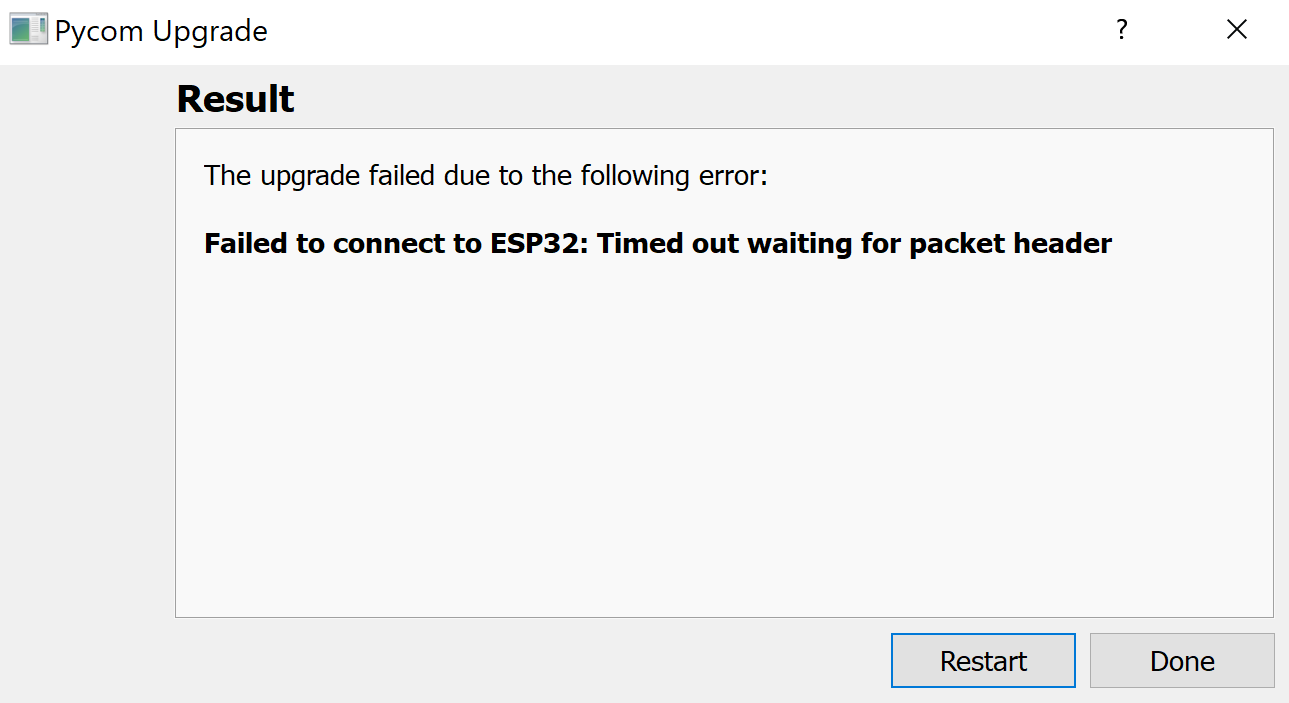
      Pytrack2, Expansion board 3.1 failed to upgrade firmware

      Watching Ignoring Scheduled Pinned Locked Moved Expansion Board expansion board pytrack2 firmware update wipy3.0 gpy
      1
      2
      0 Votes
      1 Posts
      15 Views
      No one has replied
    • D

      Pytrack2, No indications about some pins on the Datasheet !

      Watching Ignoring Scheduled Pinned Locked Moved Expansion Board pytrack2 pinouts expansion board schematics pycom docs
      1
      2 Votes
      1 Posts
      20 Views
      No one has replied
    • W

      Memory loses all data when the battery is empty

      Watching Ignoring Scheduled Pinned Locked Moved WiPy 2&3 wipy expansion board flash
      6
      0 Votes
      6 Posts
      25 Views
      W
      Thank You
    • R

      Expansion board 3 - Battery - Boost/Buck?

      Watching Ignoring Scheduled Pinned Locked Moved Expansion Board expansion board battery voltage in boost buck
      2
      0 Votes
      2 Posts
      310 Views
      robert-hhR
      @RichardBH The Pycom development modules are supplied by the Vin Pin. The 3.3V Pin of the modules is the output of the internal regulator. AFAIK, this is an LM3281 device with an absolute maximum input voltage of 6V. Between the Battery plug and the Vin pin is the charge chip and some switching circuitry. They should not cause a major voltage drop. So: If you are absolutely sure that the battery voltage is never above 6V, you could connect it. But typically, the voltage of a fully charged/fresh battery is above its nominal voltage. Like: 6V Lead battery, full charged 7.2V, 1.5 V Alkaline: fresh ~1.6V, ... So you will need some means to limit or lower the input voltage.
    • J

      WiPy3 on Expansion3.1: Unable to Update WiPy's Firmware

      Watching Ignoring Scheduled Pinned Locked Moved WiPy 2&3 wipy3.0 firmware update firmware expansion board 3.1
      9
      2
      0 Votes
      9 Posts
      460 Views
      robert-hhR
      @jc_serg That looks bad then. Since 3.3V is an output of the board, it means that the board is not working. Are you sure you plugged in the board in the right orientation?
    • B

      Expantion3 Drivers Link Broken

      Watching Ignoring Scheduled Pinned Locked Moved Expansion Board expansion board drivers broken link
      7
      0 Votes
      7 Posts
      462 Views
      R
      @catalin Thank you. :o)
    • M

      Expansion Board 3.1 not going into DFU-mode

      Watching Ignoring Scheduled Pinned Locked Moved Expansion Board expansion board zadig
      4
      0 Votes
      4 Posts
      348 Views
      robert-hhR
      @MJ1 If it shows up as COM port, then you can use it for your Pycom device.
    • P

      Updating firmware on Pycom Expansion Board 3.1

      Watching Ignoring Scheduled Pinned Locked Moved Expansion Board expansion board
      4
      0 Votes
      4 Posts
      535 Views
      G
      You can check if the board is affected by sending the S/N to Pycom support (see the link to Expansion Board 3.1 issues). I have 2 boards with DFU lock in, but Pycom support already sent the replacements. You don't get a serial connection via USB with these boards, but besides that still are functional. Pymakr connection via WLAN and FTP are working (Lopy4 powered up and running). AFAIK - and proved by buying another board some weeks ago - if you now buy an EXP 3.1 you will not run into that problem. If your board is older, just check with support before trying to update it.
    • P

      Feeding Expansion Board v3

      Watching Ignoring Scheduled Pinned Locked Moved LoPy expansion board power in vin
      1
      0 Votes
      1 Posts
      185 Views
      No one has replied
    • philwilkinsonP

      simple method to identify which expansion board is being used?

      Watching Ignoring Scheduled Pinned Locked Moved Expansion Board micropython expansion board pytrack pysense pyscan
      3
      0 Votes
      3 Posts
      290 Views
      P
      Same topic: https://forum.pycom.io/topic/2469/easy-way-to-tell-what-expansion-board-is-in-use Here's a method to create a generic exp. board object: from pycoproc import Pycoproc from pysense import Pysense from pytrack import Pytrack # create exp board object using unknown board type pyexp = Pycoproc(1) if pyexp.read_product_id() == 61458: print("Using Pysense") pyexp = Pysense() if pyexp.read_product_id() == 61459: print("Using Pytrack") pyexp = Pytrack() Later on use eg: if pyexp.board_type == pyexp.PYSENSE: si7006 = SI7006A20() Perhaps someone can tell us the id for the Pyscan board.
    • S

      Exp Board 3 - Charge LED flash codes

      Watching Ignoring Scheduled Pinned Locked Moved Expansion Board expansion board
      1
      0 Votes
      1 Posts
      215 Views
      No one has replied
    • W

      Deep Sleep

      Watching Ignoring Scheduled Pinned Locked Moved LoPy lopy deep sleep expansion board
      3
      0 Votes
      3 Posts
      422 Views
      W
      Thank You
    • S

      Flash Drive

      Watching Ignoring Scheduled Pinned Locked Moved WiPy 2&3 wipy 3.0 expansion board 3.1
      3
      0 Votes
      3 Posts
      394 Views
      M
      @stanschultz Also very useful: https://github.com/zsquareplusc/mpy-repl-tool
    • T

      Documentation pinout errors in Expansion 3.0

      Watching Ignoring Scheduled Pinned Locked Moved Comments & Feedback documentation makr expansion board
      1
      1 Votes
      1 Posts
      247 Views
      No one has replied
    • G

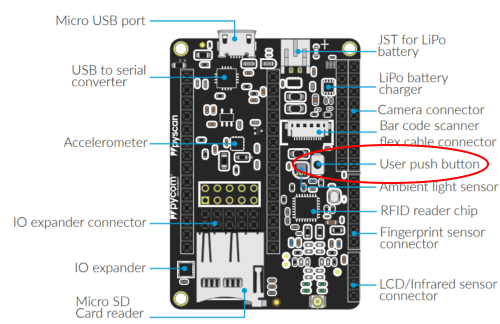
      PyScan User Push Button

      Watching Ignoring Scheduled Pinned Locked Moved Expansion Board pyscan button expansion board wakeup user button
      8
      1
      0 Votes
      8 Posts
      1k Views
      B
      @GreenGrouch Try to move the line "p_inP14 = Pin ..." before the while instruction
    • S

      FipY and Expansion Board 2.0

      Watching Ignoring Scheduled Pinned Locked Moved FiPy fipy expansion board
      1
      0 Votes
      1 Posts
      280 Views
      No one has replied
    • A

      GPy Initial Startup Connection Issues

      Watching Ignoring Scheduled Pinned Locked Moved GPy gpy startup expansion board 3.0
      2
      3
      0 Votes
      2 Posts
      298 Views
      S
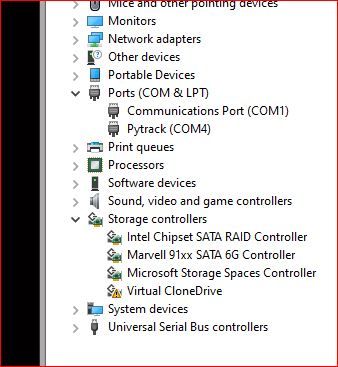
      @aventri My guess is that you haven't installed the drivers to allow you PC to see the Expansion Board com port? When I was starting with GPY, I found this tutorial from Core Electronics in Australia, to be very helpful.. https://core-electronics.com.au/tutorials/pycom-gpy-getting-started.html It is Windows centric, but there are others to be found as well
    • W

      Best power source for using 5V sensors

      Watching Ignoring Scheduled Pinned Locked Moved Expansion Board battery levelshifter i2c expansion board expansionboard
      7
      0 Votes
      7 Posts
      773 Views
      M
      @weingami Note that I2C level shifting is particularly easy as it uses an open drain-pullup signaling scheme. Shifting can simply be done with two FETs: https://electronics.stackexchange.com/questions/255607/i2c-level-shifting-mosfet
    • D

      Expansion board 3.1 : Powering off LiPo

      Watching Ignoring Scheduled Pinned Locked Moved Expansion Board expansion board battery powered boot
      6
      0 Votes
      6 Posts
      774 Views
      N
      This is an old topic but would like to add some comments that can be useful to someone having this kind of issues. I have an expansion board 3 with a Wipy, using the SD card and some sensors, and everything is working well being powered throu USB or battery. I had some issues that were fixed by following these steps: When powered by battery, P19 and P20 are affected by RTS and CTS respectively, and it was blocking one sensor I have connected to those pins. Removing those jumpers from Expansion Board resolved this issue. Don't use P8 with any sensor if you are using SD card. Looking at the Wipy3 pinout, I suppose the same is true for P3, P9 and P10. Even thou, P10 is also connected to the user button, then I configured it as an input pin with pull=PULL-UP, and avoid read/write SD operations and user button clicks at the same time. Also, this post helped me with a weird behavior of user button when using the battery: https://forum.pycom.io/topic/7364/exp-board-user-push-button/3?_=1648562954689 I connected the 10K pull-up resistor to P8 as indicated in the expansion board documentation, but honestly, I don't understand why it's needed. Most of these "tricks" are not clearly documented and I found them reading several posts and connecting ideas between them. In my opinion, Pycom boards are very good in general (with a very few details that could be improved), but as said in many places, its documentation should be reviewed to add many things like these that one has to chase reading somewhere else or by try/fail methods.
    • F

      WiPy 3.0 and MPU9250, SPI interface

      Watching Ignoring Scheduled Pinned Locked Moved WiPy 2&3 wipy 3.0 spi mpu9250 expansion board
      14
      0 Votes
      14 Posts
      1k Views
      P
      @alvaroav Hey glad its working. I've raised it in the team so hopefully the fixes will get ported into the next pybytes firmware release.
    • 1
    • 2
    • 3
    • 4
    • 5
    • 6
    • 1 / 6